3D Workspace
Home
Assets
Affiliate Program
Creator Program
Sign up/Log in
View Plans
DCC Bridge
Anonymous1768461645
01-15 09:18
Model Name
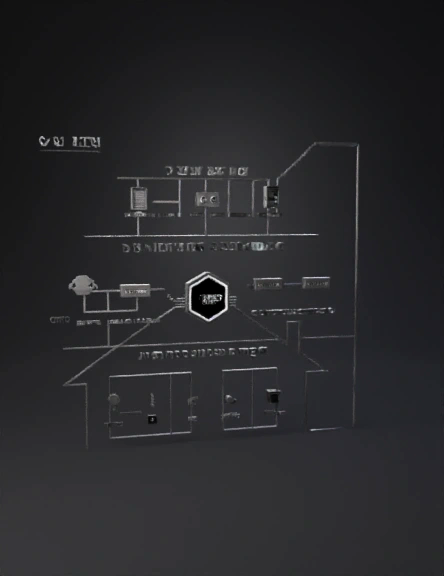
smart home diagram 3d model
Tags
modern
props
props modern
props rendering
props rendering modern
rendering
rendering modern
smart home
Prompt
SMART HOME AUTOMATION SOLUTIONS Subtitle: KNX | Buspro | Buspro Wireless – One Integrated Platform Overall Design Concept Style: Clean, modern, and technical — inspired by HDL’s ecosystem diagram (as seen in the attached PDF). Dimensions: 2m x 2m square layout, optimized for exhibition and office display. Background: Deep charcoal or matte black for contrast. Accent Colors: Blue (#007BFF) for HDL-related elements (technology partner). Orange (#FF7A00) for AL FAYTRI branding highlights. White for lines, labels, and icons for clarity. Typography: Modern sans-serif (e.g., Montserrat, Roboto, or Open Sans). Linework: Thin, precise white or blue lines connecting zones — schematic-style. Icons: Minimal, line-based icons for devices and systems. Branding Top Left Corner: Large AL FAYTRI logo (dominant, clean, and centered in its space). Tagline below (optional): “Integrated Smart Living Solutions”. Top Right Corner: Smaller HDL logo with label “Technology Partner”. Subtle blue glow or accent line connecting it to the ecosystem diagram. Layout Structure 1. Top Zone – Control Panels Position: Top 25% of the board. Elements: Touch panels, wall switches, mobile app interface mockups. Each labeled clearly (e.g., “Touch Panel”, “Wall Switch”, “Mobile App”). Design: Icons or small product visuals aligned horizontally. Thin white lines descending to the middle zone (controllers). Blue accent lines for HDL connectivity. 2. Middle Zone – Controllers & Infrastructure Position: Central 40% of the board. Elements: Controllers, actuators, gateways, and network modules. HDL Cloud, Gateways, and Buspro/KNX controllers. Design: Central “Smart Home Hub” node (large circular or hexagonal shape). Radiating lines connecting to top (control panels) and bottom (systems). HDL Cloud symbol (similar to the one in the reference PDF) connected to “Gateway” and “Controllers”. Label each component: “Controller”, “Actuator”, “Gateway”, “HDL Cloud”. Use blue-white gradient lines for data flow. 3. Bottom Zone – Sensors & Systems Position: Bottom 35% of the board. Elements: Motion sensors, temperature sensors, lighting, HVAC, shading, audio, energy management, access control. Design: Icons arranged symmetrically in two or three rows. Each icon labeled (e.g., “Lighting”, “HVAC”, “Audio”, “Energy”, “Security”). Thin orange lines connecting back up to controllers (showing integration). Optional subtle background outline of a house silhouette to frame the ecosystem. Visual Flow Top → Middle → Bottom: Control → Processing → Action. Use directional flow lines (thin arrows or glowing connectors). Symmetry: Balanced left-right layout for visual harmony. Equal spacing between icons and zones. Additional Design Touches Subtle Grid Overlay: Light transparent grid for a technical feel. Lighting Effects: Soft blue/orange glows behind key nodes (e.g., HDL Cloud, AL FAYTRI Hub). QR Code (optional): Bottom corner linking to AL FAYTRI’s website or demo video. Labeling Style: White uppercase text for main labels. Blue/orange small caps for sub-labels. Suggested Section Titles (for clarity) Top: “CONTROL INTERFACES” Middle: “SYSTEM CONTROLLERS & INFRASTRUCTURE” Bottom: “SENSORS & AUTOMATION SYSTEMS” Reference Integration (from attached PDF) Use the HDL Cloud – Gateway – On Pro – EcoConnect flow (as seen in the PDF) as your middle section inspiration. The house cross-section diagram can be reinterpreted as a schematic network map, not a literal house — more technical and exhibition-friendly. Maintain the clean iconography and line hierarchy from the HDL diagram. Would you like me to create a visual layout mockup (schematic sketch) of this board design in Canva style — showing placement of zones, logos, and lines? I can describe or draft the layout structure for easy implementation.
Detailed Info
Related Models
Enter invite code
Enter invite code to get credits!
 Anonymous1768461645


 Anonymous1768461645